
Self-hosting Umami on Coolify to track events and campaigns

Umami logo, from the umami-software/umami repository (MIT licence).
On FitHere, we needed to answer three questions. How many people look at a given event. How many of them convert, either by joining or by creating an event. And which promotion campaign brings the people who actually show up. That was the whole brief for analytics.
Why not Google Analytics
Google Analytics could answer all of it, in theory. In practice it has become a maze: to find one number you cross three menus, and the number is not always the one you thought you were looking at. It is also not very friendly with GDPR, which is a problem when your users are organizers in France and Taiwan.
So I went looking for something else.
Plausible, Matomo and the one that was too much
Plausible and Matomo come up first, and both are GDPR friendly. There was a third one, PostHog, which does a lot more than I needed and looked heavy to set up on my own server. I did not even start.
Claude recommended Umami. I looked at it and the first thing that struck me was how simple it is. The dashboard is readable, which is something Google Analytics no longer manages. The project is fairly young but it moves fast, which I count as a plus. And it is self-hosted, so the data stays on my server.
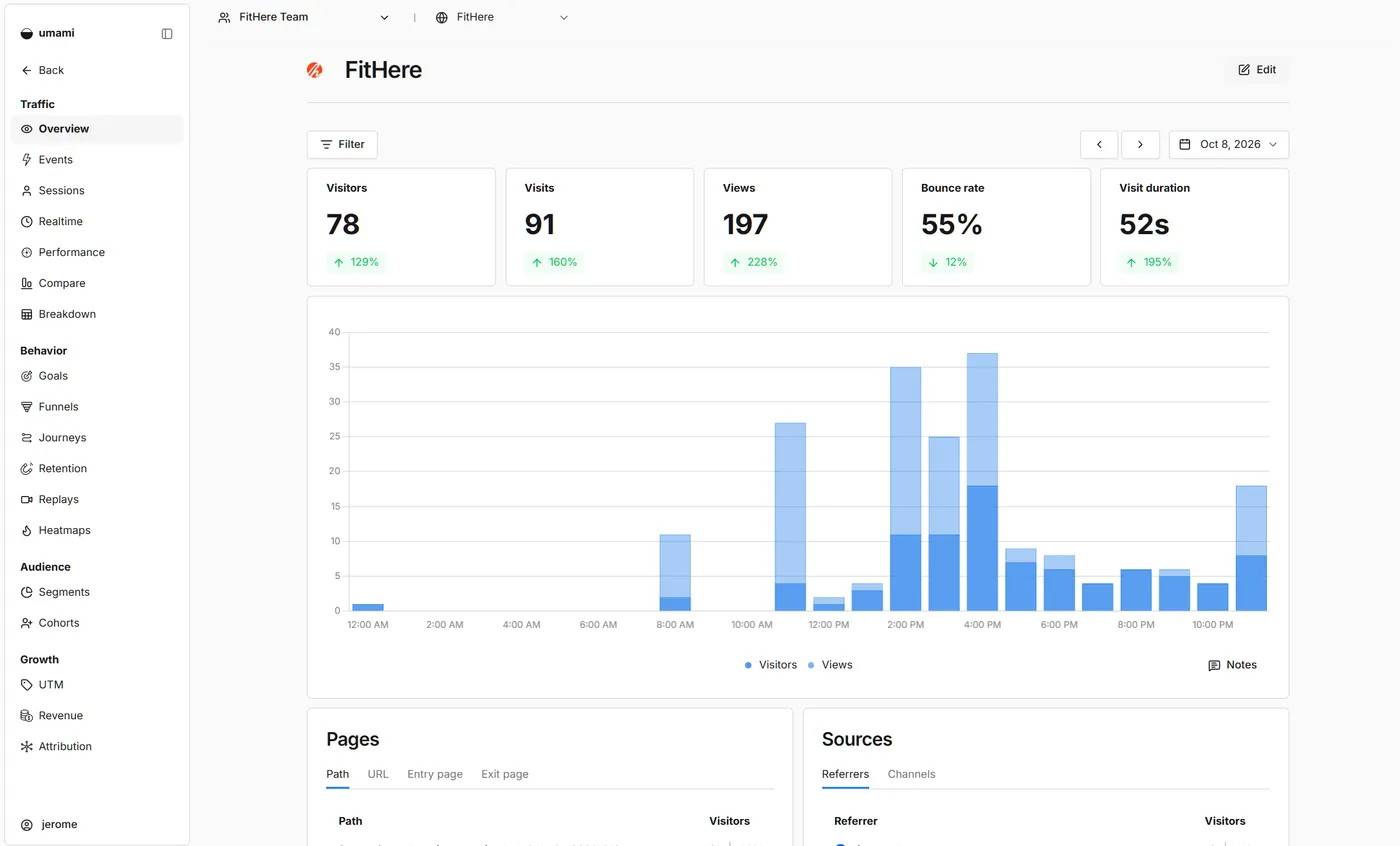
What GDPR friendly means here
I said “GDPR friendly” twice already, so here is what I mean. Umami sets no cookie. It uses the visitor’s IP, the User-Agent and the site id to compute a hash that identifies the session, and the IP itself is never stored: the session table has no column for it. My API does send that IP to Umami, as you will see below, but only so it can be hashed there. Umami also gives me less than Google does, and for this project less is the correct amount.
Installing it on Coolify
Everything already runs on a Coolify instance on an OVH VPS: the API, the worker, the sites. Umami went there too, as a ready-made Coolify service. A few clicks and it ran. That part took less time than reading the comparison articles.
I could have used Umami Cloud instead, and I did not, for two reasons. On GDPR, it is simpler to say the data never leaves a server I run. And the free Cloud plan stops at 100,000 events a month and one website, with API and MCP access on the paid plan. I already had a server, so I would have been paying for something I had.
The events are the actual work
The install is easy. What takes time is deciding what to measure, and then writing it. An analytics tool with no custom events only tells you that people came.
I added events for the steps that matter: creating an event, joining one. Some start in the browser, which is the usual way. The catch is that adblockers block the Umami script, and every event with it. So the ones that count most are sent from the back instead. An adblocker cannot see what goes on between my API and my Umami.
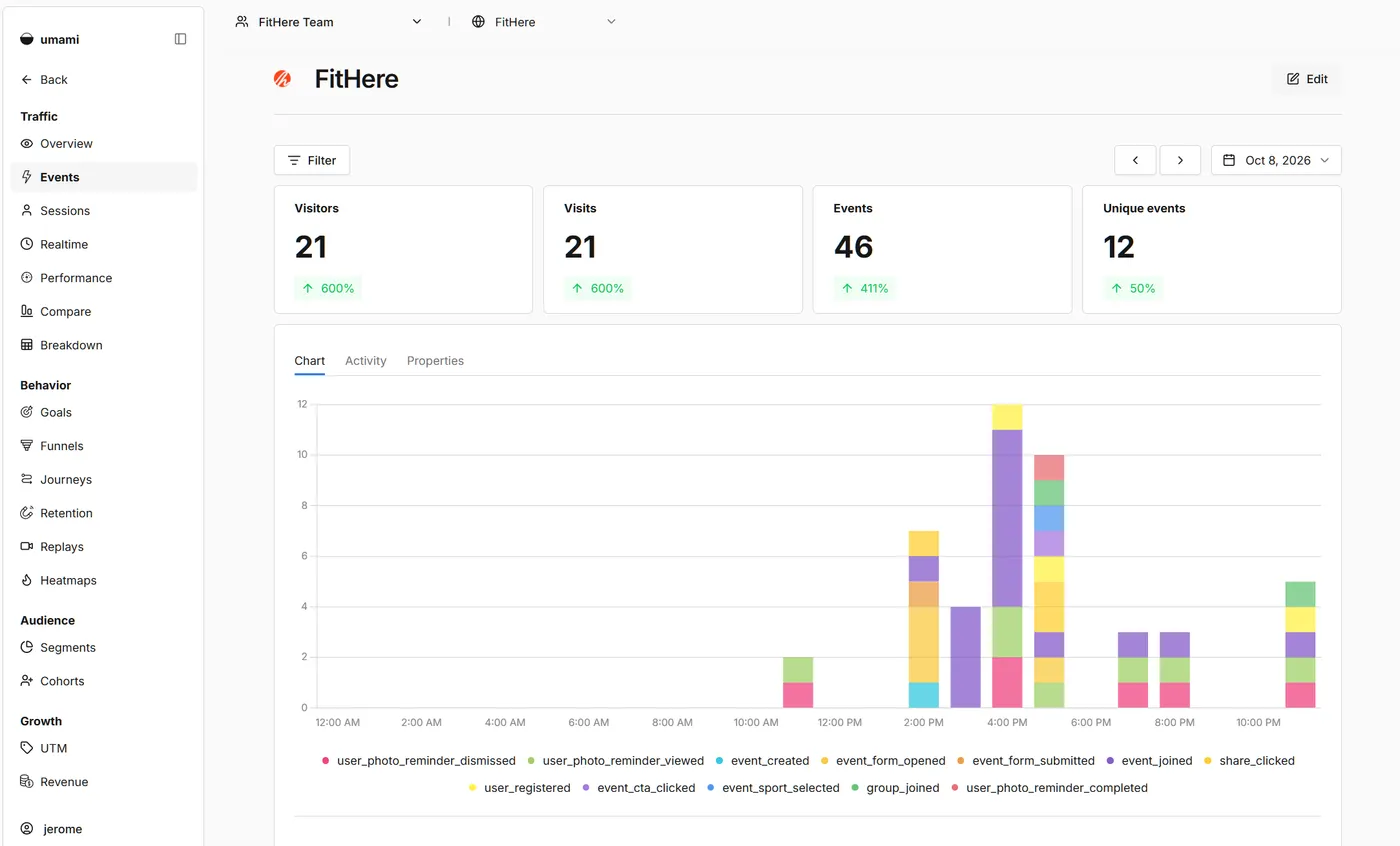
One visitor, two sessions
That created a different problem. Umami builds a session from a hash of the website id, the visitor’s IP, the User-Agent and a salt that rotates. An event sent by my API arrives with the API server’s IP, so Umami filed it in a session of its own: a ghost session, in Singapore, with no pageview, even when the visitor was in Taiwan. The pageview came from the browser, the join came from nowhere, and the funnel broke between the two.
My first try was to forward the visitor’s IP in X-Forwarded-For and X-Real-IP. It changed nothing. Umami puts headers set by a proxy (cf-connecting-ip, x-real-ip) above x-forwarded-for, so every event still carried the API’s own IP.
What works is that Umami reads ip and userAgent from the payload first, and only looks at the headers when they are missing. So the API puts the visitor’s real IP and User-Agent in the payload:
return {
    website: this.websiteId,
    name: event.name,
    data: event.data ?? {},
    hostname: event.hostname ?? DEFAULT_PAGE.hostname,
    language: event.language ?? DEFAULT_PAGE.language,
    url: event.url ?? DEFAULT_PAGE.url,
    userAgent: event.userAgent ?? FALLBACK_USER_AGENT,
    ...(event.ip && { ip: event.ip }),
};
The values come from the visitor’s own request, picked up by a decorator on the controllers. Same idea for the hostname, the URL and the language, taken from Referer and Accept-Language, so the event lands on the page the visitor was actually on. The hardcoded values are only a fallback for events fired outside a request, like a cron job. If a controller forgets the decorator, the event still reaches Umami, as an orphan session, which makes it easy to miss.
That one lasted. It took a while to confirm it was really happening, then to fix it, then to check the fix held. The numbers stayed usable in the meantime, just not clean.
Visitors in Umami, joins in the database
Over time Umami went deeper into the project, because we started building a tracking tool for events. Two needs came out of it.
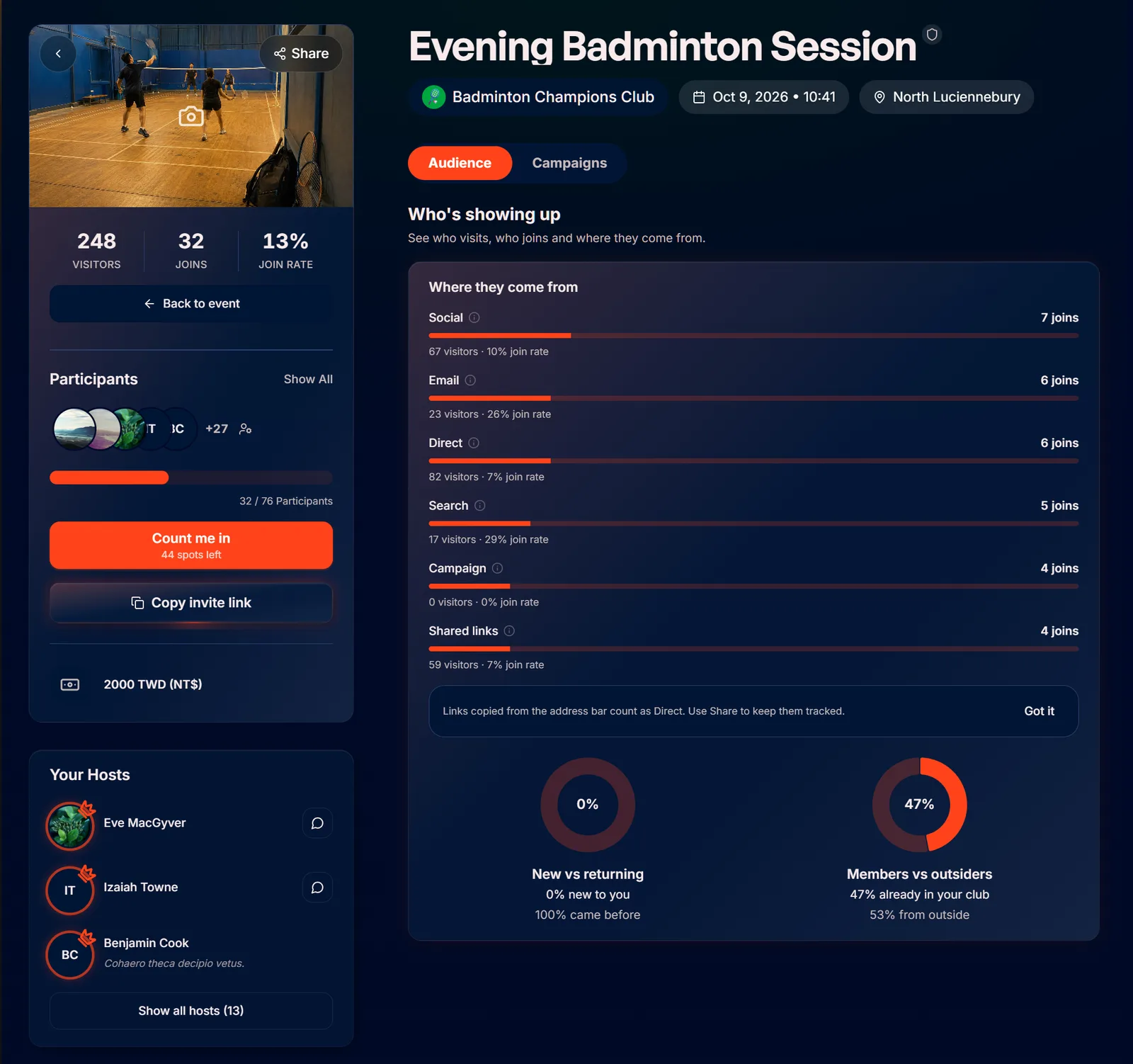
The first is simple: how many visitors did a given event page get. The second is for organizers. When someone runs a campaign for their event, on a given channel and at a given date, they want to know which one performs: how many clicks it generated, and how many people joined because of it.
Umami handles the visitors. The joins come from the database, and the database is the source of truth. Counting joins from Umami events would give a wrong number. Umami keeps every join hit, including people who cancelled and joined again, and it cannot filter an event on two properties at once, which is what a campaign and channel breakdown needs. In the database a join is one row and a cancelled person is out, so that is the number I trust.
The campaigns work like this. When someone arrives from a campaign link, we keep the UTM parameters of the link in their session storage. When they join the event, that origin is saved in the database along with the join. So each half answers the question it is good at: Umami says how many people came and from where, the database says how many of them joined.
Put together, that gives the tracking page organizers see for each event:
Umami is part of my AI workflow
Umami Cloud has an MCP server, but I am self-hosted, so I wrote a small script that exposes Umami’s API as a read-only MCP server. The agent I work with can then read the data itself. I have one dedicated to analytics, which reads traffic, events and the latest numbers.
So I no longer have to stop what I am doing to go look at the numbers. When I am on a UI or UX problem, I ask the agent what people click on this page and where they drop, and I keep going. Before, that meant leaving what I was doing, opening the dashboard, forgetting what I came for, and usually postponing it. Now the question costs one sentence, so I ask it more often, and the answer arrives while I am still on the screen.